Head-to-head
ClickMagick vs Bitly: short links or sales tracking
It comes down to two tools: one gives you a short URL, and the other records whether that click turned into a sale.
By Marcus Flynn, tracking and attribution editor. Updated 22 October 2026.
Use the report you already trust, either a click count or a conversion recorded by both the affiliate network and the ad platform.
Quick answer
Pick ClickMagick if you buy ads or run affiliate campaigns and need first-party conversions, network postbacks, and Audience Optimization feeding Meta, Google, and TikTok; pick Bitly if you only need branded short links, QR codes, and click counts on a free or low plan, with sales staying in the affiliate network dashboard.
ElasticFunnels keeps the funnel, the checkout, and the order in a single record. TrackPlay is the VSL player that ties a play to the cart-verified sale.
- ClickMagick. First-party conversions and network postbacks sent on to the ad platforms.
- Bitly. Branded short links, QR codes, and click counts.
- ElasticFunnels. Pages, checkout, and postbacks on one order record.
- TrackPlay. VSL plays tied to a cart-verified sale.
Side by side
| Tool | Primary job | Conversions | Ad platforms | Meter | Start | Free or trial | From |
|---|---|---|---|---|---|---|---|
| ClickMagick | Ad tracker | Network postbacks | Meta, Google, TikTok | Tracked visitors | Paid Starter | Trial included | Not listed |
| Bitly | Short links and QR | Click counts | Webhooks on Premium | Links created | Free plan | Free plan | Free tier |
| ElasticFunnels | Funnel and checkout | Affiliate postbacks | Order reporting | Page views | Published plans | No card required | Not listed |
| TrackPlay | VSL player | Cart-verified sale | Meta, TikTok, GA4 | Plays | Paid entry | Free plan | Free tier |
ClickMagick: pros and cons
What works
- Accurate first-party tracking that survives iOS and ad blockers. Conversions are captured on your own domain and posted back to Meta, Google, TikTok and more through Audience Optimization, so the ad platform's optimization gets a cleaner signal. Buyers keep it to see where conversions really come from when GA4 and the pixel disagree.
- You pay a flat monthly fee, and the price is published without a sales call. Buyers who left Hyros say they pay less for the same tracking job. Standard and Pro increase the tracked-visitor cap, and the core tracking features are already included on Starter.
- Support is the feature buyers praise most often. Trustpilot sits at 4.1 out of 5 across 679 reviews, about 90% five-star, and users report fast replies that often include a screen-recording walking through the exact fix.
- It matches the campaigns a solo operator actually runs: sub-IDs and server-to-server postbacks into 100-plus affiliate networks, a custom first-party tracking domain, bot and click-fraud filtering, cross-device tracking, automatic ad-cost sync, and a daily insights email that flags what to scale, pause or fix.
What to watch
- ClickMagick attributes the conversion on pages you send traffic to. Voluum, RedTrack, and Binom are tools that rotate offers and split clicks across landers by rule. Affiliate buyers running many offers through a redirect are the ones who feel that difference. Someone with a single funnel is already driving traffic to their own pages.
- The marketing promises more than the setup delivers on its own. ClickMagick is a tracking layer, and accuracy still depends on passing click IDs cleanly and configuring postbacks correctly. Skip that work and the numbers will disagree with your backend.
- Paying $79 a month just to cloak a link and count clicks is steep when that is the whole job. The cap counts tracked visitors, so a funnel with heavy traffic and few sales can push you into the next tier. The visitor count is what to watch before you scale spend.
- Independent third-party proof is thinner than the wall of on-site testimonials suggests. There is little meaningful G2 or Capterra coverage, and ClickMagick says it no longer actively maintains its Trustpilot profile and disputes some recent negative reviews. Weigh the on-site testimonials against your own trial, because the outside review record is thinner.
Bitly: pros and cons
What works
- The free plan covers a small monthly batch of new links and QR codes.
- Growth adds branded links on a domain you own.
- You are billed for the links you create, so a link that gets heavy traffic stays on the same plan.
What to watch
- Your Bitly dashboard shows click counts. The commission report stays in the network you joined.
- Webhooks start on the Premium plan. Campaign postbacks and ad-platform conversion APIs belong to a tracker, and they sit outside this product.
- Operators use it for social posts. Once a paid affiliate campaign needs routing or sub-IDs, you need a tracker for that part of the job.
The real differences
When Bitly is enough
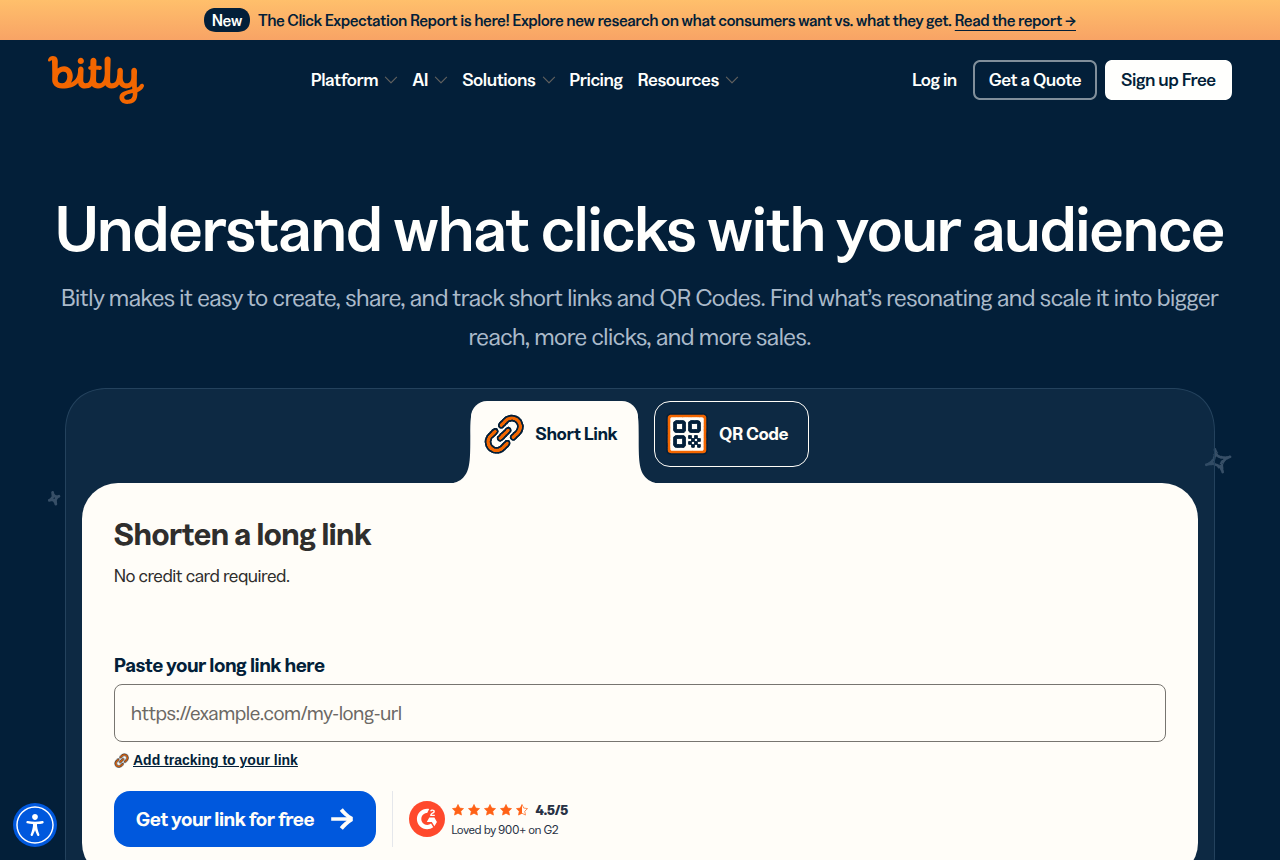
Bitly's homepage is a form where you paste a long URL, get a short link back, and open the QR tab when that same destination has to work in print. Social posts, emails, and print pieces work when you are only creating a modest number of new links.
Bitly's affiliate guide splits the work on purpose. Bitly measures clicks on the short link. The affiliate network measures purchases and commissions. Their earnings-per-click figure is the network commission divided by those Bitly clicks. One link per placement, campaign parameters stored on the short URL, sub-IDs left with the network: that is the workflow the guide walks through.
Operators describe the same split without the tutorial tone. In a marketing thread about affiliate links, Bitly is described as a redirect that tracks the click and stops there. A later note in an AffiliateOps thread says people reach for it on social, where a redirect and a click count are the whole requirement. The link in the post still resolves, and the sale stays in the network you already log into.
When ClickMagick earns the paid plan
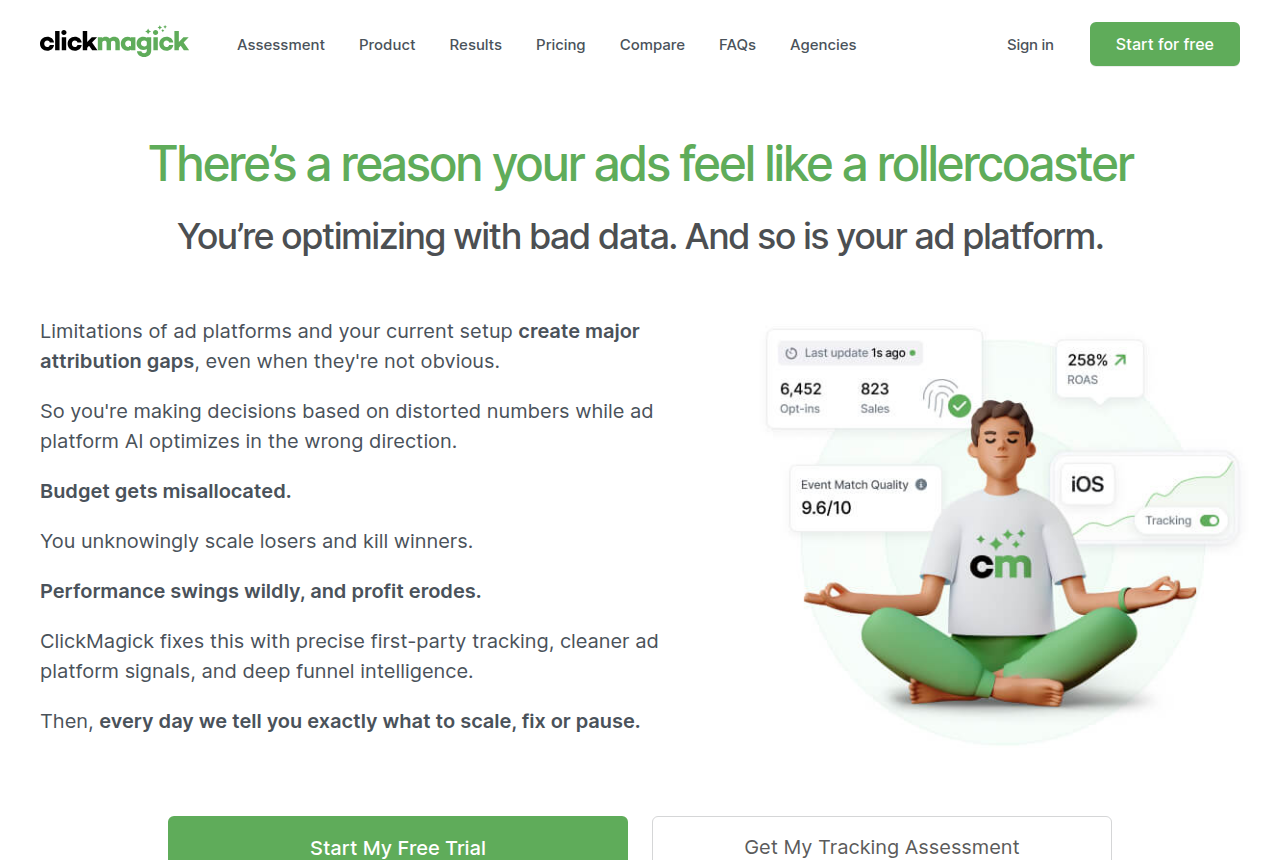
ClickMagick records the visit on pages you control, then sends the conversion on. Audience Optimization is listed on the Starter card, which is how Meta, Google, and TikTok receive that conversion. The allowance is tracked visitors, so the meter includes what happens on the page, alongside the click that arrived.
The connect page is where affiliate networks plug in, through server-to-server postbacks. The same page offers Smart Links: a short URL you can geotarget, place on your own domain, and attach a pixel to. Their sample looks like the kind of link Bitly would generate, and the click stays inside the tracker, ready for the postback.
A link in a bio, or a QR code on a flyer, is what a shortener is for. A paid tracker makes sense when you are buying traffic and the network can send a postback. Routing clicks across many offers is a different product, and RedTrack vs ClickMagick is the comparison for a tracker that distributes the visit.
In an affiliate-marketing thread about tracking links, people bring up ClickMagick when they want the conversion and the keyword behind it, which is more than the click a basic redirect plugin keeps.
Bitly vs ClickMagick for affiliate links
Keep the affiliate link the network gave you. The choice is which tool records the click, and which tool records the revenue.
Stay with Bitly when the network dashboard is already where you read commissions, and the short URL only has to look right in a post, an email, or a code you can print. Sub-IDs remain with the network, and Bitly's chart shows how many times the link was used.
Use ClickMagick when you are buying traffic and the network can send the conversion back, so the ad platforms can optimize on that event. If the funnel you already run is what sends people to the offer, FunnelFlux vs ClickMagick takes up that routing question. Software for paying your own partners is a separate bill from tracking links you place on someone else's offer.
ElasticFunnels, when the page and the checkout are yours
ElasticFunnels is a funnel platform for teams that buy traffic. It builds the pages, including an AI builder that can start from a prompt or clone a page from a URL, and it split-tests variants under one URL so the ad keeps a single destination. The checkout sits on the same account, and a click, an order, a rebill, and a refund share one timeline. Affiliate postback URLs land on that timeline, next to the order.
This fits a buyer who already needs the page, the checkout, and the postback in one place. A buyer comparing funnel platforms would put it next to ClickFunnels for the pages and next to SamCart for the checkout. Starter is $97 a month, or $937 for the year. Starter includes the same features as the higher plans, and those plans differ by page views, brands, domains, seats, and automation runs. The trial runs 14 days with no card, and you can set up pages, a funnel, and a custom domain while it lasts.
The checkout fee is 0.5% of revenue through ElasticFunnels' own gateways: Stripe, NMI, PayPal, Klarna, or Authorize.net. ClickBank, BuyGoods, Digistore24, Shopify Checkout, and Shop Pay sit outside that fee. A weighted split of the first sale across your own NMI merchant accounts is NMI only. Stripe, PayPal, Klarna, and Authorize.net are each one account, with no split across them.
ElasticFunnels is newer than ClickFunnels and SamCart, and independent reviews are still very thin, so until real volume runs through the account you are largely taking the vendor's word for how that reporting behaves. That is what you would expect from a platform that has been around since 2023. The pages, the split tests, the checkout, and the postbacks are already in the account for you to try, and what you cannot yet check from outside is a long run of independent reviews.
TrackPlay, when the sale happens on the video
TrackPlay is a video host built for paid-traffic VSLs. The video sits behind one embed, the cart posts the verified sale onto the play that earned it, and TrackPlay sends that conversion server-side to Meta, TikTok, and GA4. Paid plans start at $29 a month, you pay by the play, and every feature is included on every paid plan. A free plan lets you try the player before you spend on traffic. Teams comparing VSL hosts usually set it beside Vidalytics.
A social short URL remains a Bitly job, and a click that has to line up with an affiliate network remains a ClickMagick job. TrackPlay is the player for a funnel where the sale happens on the video.
It is narrow by design. Built for a direct-response VSL, it has none of the channels, SEO pages, or webinar tooling of a Wistia, so a video whose job is content marketing is a poor fit. A sales video still gets the player, the per-second retention split between buyers and everyone else, and the cart postback.
Independent reviews are still scarce, the testimonials sit on TrackPlay's own site, and sign-up requires an invitation code, so you are relying on what TrackPlay says about itself. That is the limit on a player this new. The free plan lets you watch your own video before you spend on traffic.
What each one costs
ClickMagick counts tracked visitors. Bitly counts links and QR codes you create, and leaves clicks and scans uncapped. The two tools do different jobs, and the lower price is the better buy when a click count is all you need.
- ClickMagick Starter. $79 a month, or $790 for the year ($66 a month). The cap is 10,000 tracked visitors, with a 14-day trial on every plan.
- Bitly Free. $0, with five new short links and two QR codes each month, plus ads. Clicks stay uncapped.
- Bitly Core. $120 paid once for the year ($10 a month on that bill), and the creation cap is 100.
- Bitly Growth. $348 for the year. That tier allows 500 creations, branded links, and a complimentary custom domain. The card shows $29 a month.
- Bitly Premium. $2,388 for the year, shown as $199 a month, for up to 3,000 creations. Webhooks are on this plan and on Enterprise.
Larger ClickMagick tiers raise the visitor allowance above that Starter card. Bitly Enterprise is a custom quote. ElasticFunnels and TrackPlay are priced in their sections above, since one is a funnel platform and the other is a video player.
Our pick
ClickMagick
ClickMagick is the pick when a paid click has to come back as a conversion in your tracker and in the ad platform. Bitly is the pick when the job is a branded short URL, a QR code, and a click count.
Frequently asked questions
Can I use Bitly for affiliate links?
Does ClickMagick take the place of Bitly?
Bitly vs ClickMagick for affiliate links: which should you choose?
Do I need both?
Sources
From ClickMagick and Bitly
- https://www.clickmagick.com/pricing/
- https://www.clickmagick.com/product/?tab=connect
- https://bitly.com/pages/pricing
- https://bitly.com/blog/how-to-get-affiliate-links/
- https://bitly.com/
Other sources
3 discussions and reviews read for this page. Quotes are excerpts; open a link to read the original in context.
How we compared these
We do not run paid campaigns through either tool. We read each vendor's documentation and pricing pages, verify the figures there, and weigh long-term reports from operators. The full rubric is on the methodology page.
Related reading
- Bitly review
- ClickMagick vs AnyTrack
- RedTrack vs ClickMagick
- FunnelFlux vs ClickMagick
- ClickMagick vs ClickFlare
- Simple affiliate tracking software
- Stack picker for tracker, checkout, and VSL
- All head-to-head comparisons
Comments
No comments yet. Questions and your own experience are welcome.
Thank you. Your comment will appear once it has been reviewed.