Head-to-head
ClickFlare vs PeerClick
ClickFlare and PeerClick are both cloud ad trackers that sit in your click path, capture conversions server-side and push them back to Meta, Google and TikTok. The difference is what each one is built to do. ClickFlare sells the whole tracking stack at a flat price with the Conversion API on every plan. PeerClick sells automation: an AI that re-weights your traffic every minute. If you are down to these two, the real question is whether you want a predictable full-stack tracker or a machine that actively moves your traffic for you.
By Marcus Flynn, tracking and attribution editor. Updated 29 September 2026.
Pick ClickFlare if you want a full cloud tracker with server-side CAPI on every plan at a flat, predictable price and a reliability record you can point to; pick PeerClick if you route affiliate, native, pop or push traffic across dozens of offers and want an AI that re-weights that traffic toward the winners every minute.
Quick answer
ClickFlare is our top pick for most people. The flat-priced way to get the full tracking stack, server-side capture, CAPI to every ad platform, cost sync and offer routing, at a bill that undercuts Voluum and RedTrack and never takes a cut of your spend. It puts CAPI and the AI Copilot on every plan and has held 99.99% uptime since 2021. The one caution is a young, almost entirely five-star review base, so trial it against your own numbers before you move a whole operation across.
- ClickFlare. Best for Media buyers who want the full tracking stack and CAPI on every plan at a flat price. From $69/mo.
- PeerClick. Best for Affiliate and iGaming media buyers who want automation-heavy click tracking. From $99/mo.
Side by side
| Tool | Core job | Optimization | Server CAPI | Trial and billing | From |
|---|---|---|---|---|---|
| 1. ClickFlare | Flat-priced cloud tracker | A/B tests, AI routing | On every plan, from $69 | 14-day trial, no card | $69/mo |
| 2. PeerClick | Automation-first tracker | Per-minute AI distribution | Included; AI needs $199 | Card required, no refunds | $99/mo |
ClickFlare: pros and cons
What works
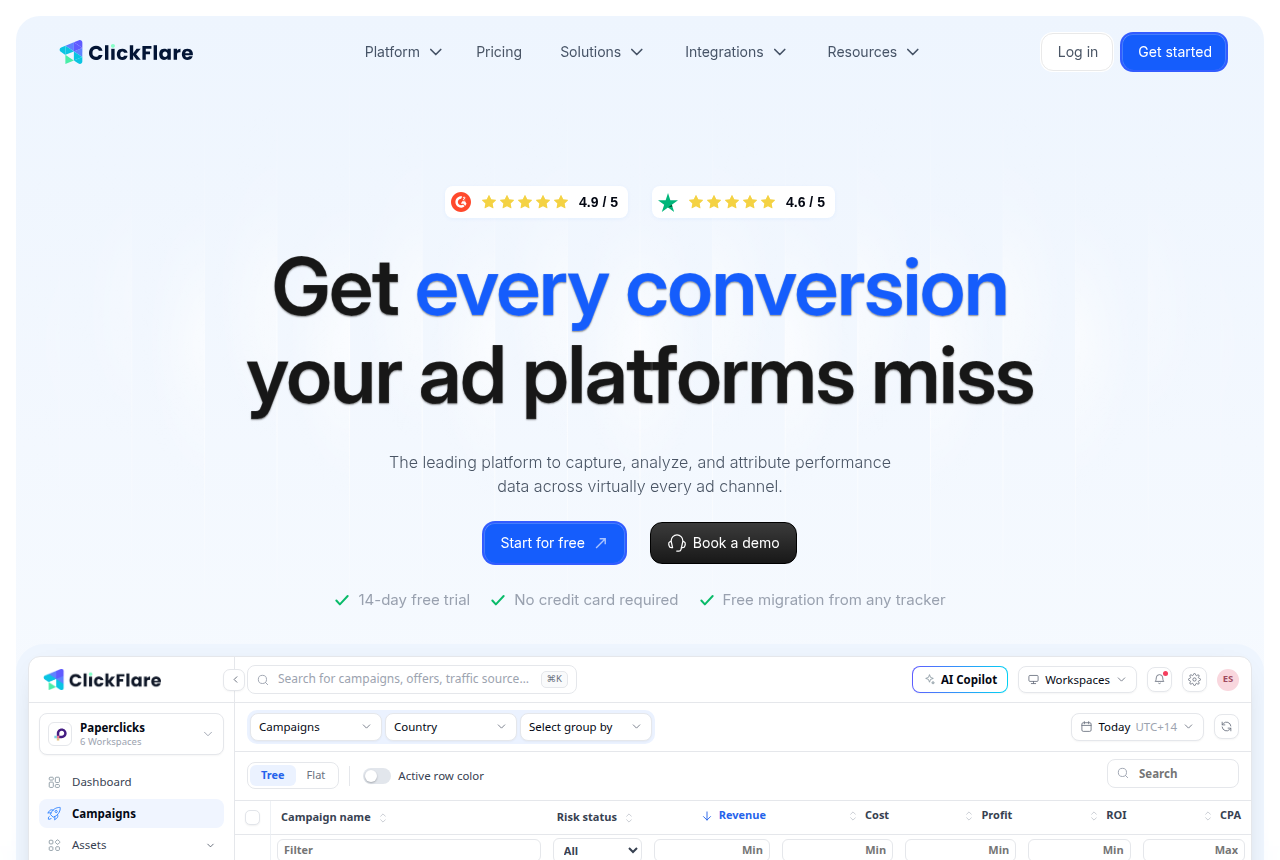
- Flat pricing with the whole stack on every plan. From the $69 Starter up, server-side CAPI, the AI Copilot, automatic cost sync and the tag manager are all included, with no revenue share and no feature gating.
- Server-side capture that survives iOS and ad blockers, deduplicated back to the Meta, Google and TikTok Conversion APIs, which is the core job media buyers report it doing well.
- A reliability and support record buyers single out: 99.99% uptime since January 2021 with sub-50ms redirects, and live chat with people who run traffic themselves.
- Built for the media-buyer shape: sub-IDs, S2S postbacks, offer routing, built-in A/B testing with AI traffic routing, and free, done-for-you migration from another tracker.
What to watch
- The independent track record is young and thin. A couple of dozen mostly five-star Trustpilot and G2 reviews, with little critical depth, so trial it against your own numbers rather than take the ratings as proof.
- Priced by events, and every visit, click, conversion and postback counts as one, so a high-traffic, low-converting funnel can burn through a tier with overage on top.
- Migration is free but does not bring your statistics, so historical reporting stays in your old tracker unless you export it first.
- The headline price is not the whole bill: cost sync faster than every 30 minutes runs from $150 a month, and extra tracking domains are add-ons.
PeerClick: pros and cons
What works
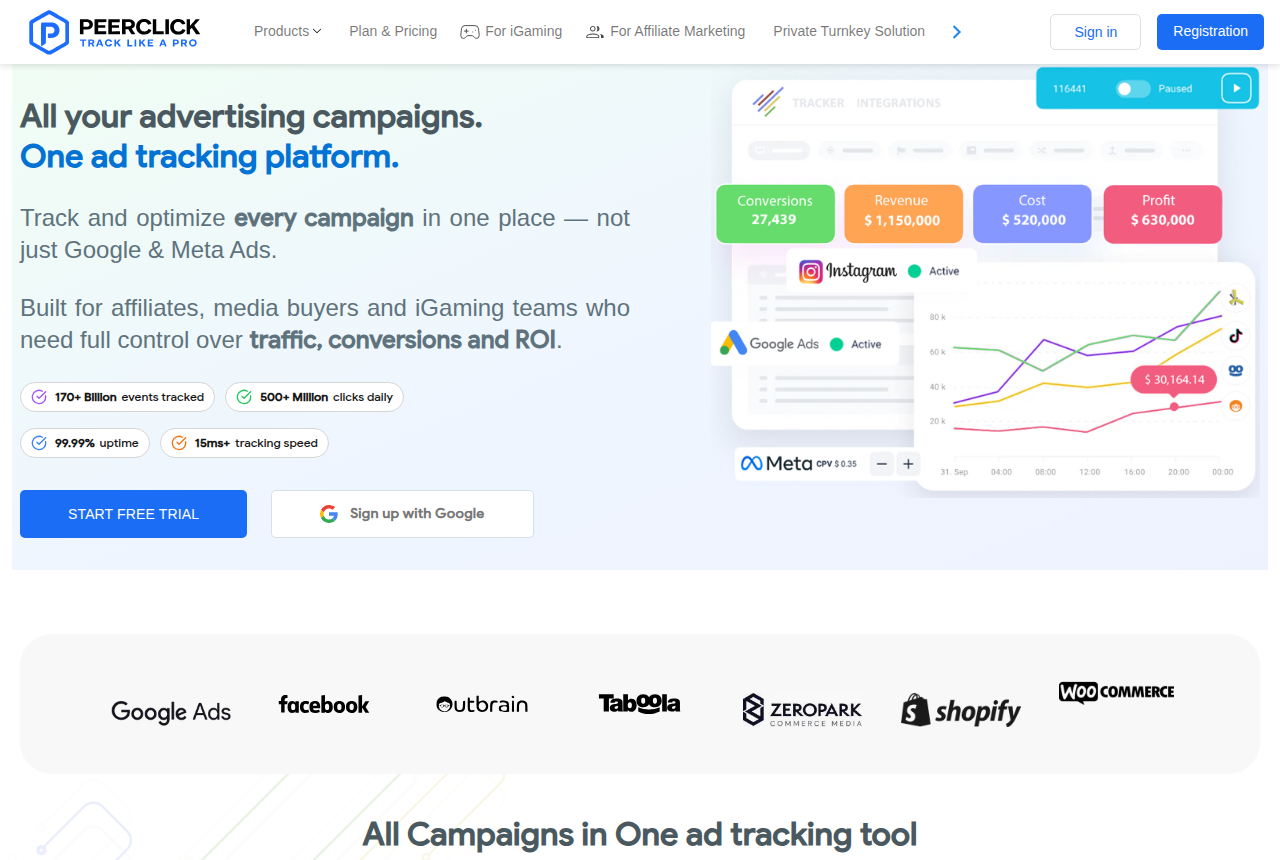
- Traffic Distribution AI re-weights offers, landers and paths every minute toward your chosen metric (ROI, earnings per visit, or conversion rate). That is real automation, not another dashboard.
- Cookieless server-to-server tracking with native CAPI to Facebook, Google Enhanced Conversions and TikTok, so attribution holds up under iOS restrictions and ad blockers.
- Built for redirect-style affiliate and iGaming flows: incoming and outgoing postbacks, FTD and RevShare tracking, offer routing, A/B testing and 100-plus integrations.
- Operators call the reports fast and campaign setup intuitive, and rate the tracker reliable and fairly priced for what it does.
What to watch
- Outside proof is thin. One Trustpilot review at 3.2, no G2 footprint, and most write-ups are affiliate-network blog posts rather than candid operator threads.
- Support reads as a coin flip. One buyer praised a named rep as helpful; another called support terrible and said the tracker just stopped working.
- Billing is strict. No refunds, a card required to access the panel, and cancellation is a request a technician processes within three business days, not a button you press.
- The anti-fraud kit is gated to the $399 Advanced plan, and the AI traffic distribution to the $199 Basic+ plan, so the entry $99 tier is not the PeerClick that beats a full-stack rival.
The real differences
Same lane, different bet
On a feature list these two look almost interchangeable. Both route paid clicks, stamp them with an ID, record the conversion your network or pixel posts back, and report profit by campaign, source, offer and country. Both capture server-side so an iOS restriction or an ad blocker does not lose the sale, and both push conversions back to Meta, Google and TikTok through the native Conversion API. If all you need is clean tracking that survives the post-cookie web, either one does the job.
The split shows up in what each vendor built past that baseline. ClickFlare put its effort into price and reliability: the full stack on every plan, a flat bill that never takes a cut of your spend, and an uptime record it publishes. PeerClick put its effort into automation: a per-minute engine that moves your traffic for you. Deciding between them is really deciding which of those two things you are buying.
What ClickFlare optimizes for: a predictable full stack
ClickFlare launched in January 2021 and positions itself as the flat-priced replacement for Voluum and RedTrack, running comparison pages against both on its own site. The pitch is not a new category. It is the same tracker job with nothing gated behind a higher tier. Server-side capture, the Conversion API, the AI Copilot, automatic cost sync and the tag manager are all on the Starter plan, and the bill is a flat monthly number rather than a percentage of ad spend. Its own pricing page states it plainly: the full tracking stack is on every plan, from Starter up.
That matters most to the buyer switching off Voluum or RedTrack because the incumbent's bill has outgrown what it gives them. ClickFlare is the like-for-like move that keeps the capability and drops the price, and its reliability record is the other half of the argument: it reports 99.99% uptime since launch with sub-50ms redirects, and the loudest praise in its reviews is for fast, human support rather than any single feature. It does have its own optimization: built-in A/B testing with AI traffic routing. It just does not make real-time redistribution the centre of the product the way PeerClick does.
What PeerClick optimizes for: per-minute automation
PeerClick is aimed at the affiliate or iGaming media buyer routing native, pop, push and search traffic to offers, often offers they do not own. Its differentiator is the Traffic Distribution AI: it reads the last 24 hours of performance and, every minute, shifts traffic weight toward the offers, landers and paths with the best ROI, earnings per visit or conversion rate, and starves the losers. On top of that sit rule-based routing, alerts and an Autopilot layer that can pass conversions, pause and activate campaigns and change bids without you leaving the tracker. For a buyer whose edge is speed of iteration across dozens of offer-and-lander combinations at once, that is a genuine reason to pick it.
The tracking underneath is built for the same post-cookie world as ClickFlare: server-to-server, with native Facebook CAPI, Google Enhanced Conversions and TikTok Events API. The gap is not capability, it is where the capability sits on the plan ladder, and how much outside proof you can lean on before you commit. More on both below.
CAPI, anti-fraud, and what is gated
Both send conversions back to the ad platforms server-side, so on the headline capability they tie. The difference is what you have to pay to unlock the rest. ClickFlare includes CAPI, the AI Copilot and cost sync on the $69 Starter plan. PeerClick includes CAPI from its $99 Starter too, but the Traffic Distribution AI that is the reason to choose it needs the $199 Basic+ tier, and the anti-fraud kit with proxy and VPN detection needs the $399 Advanced tier. So the PeerClick that beats ClickFlare on automation is the $199-to-$399 PeerClick, not the entry one. If you buy PeerClick for the entry price and skip the AI, you have paid more for less than ClickFlare gives you at $69.
Track record, support and billing
Neither tool has the deep, candid operator record you would get on Voluum or RedTrack, and that is the honest caution for both. ClickFlare shows about 4.6 on Trustpilot and 4.9 on G2, but from small, recent, almost entirely five-star bases, so there is little critical depth to weigh even though the signal is positive. PeerClick is thinner still: a single Trustpilot review at 3.2, no real G2 footprint, and most write-ups on affiliate-network blogs with a referral interest. Its support also reads as a coin flip: one operator praised a named rep as helpful, another called support terrible and said the tracker just stopped working.
Billing is where PeerClick asks the most trust. It requires a card to access the panel, makes all payments final with no refunds, and cancellation is a request a technician processes within three business days rather than a button you press. ClickFlare's 14-day trial takes no card, and migration from another tracker is free and done for you. Read PeerClick's terms before you attach a card, and either way export the reporting history you need, because ClickFlare's free migration moves campaigns and flows but not your old statistics.
When the tracker is only half the problem
Both tools track and route the click. Neither builds the page the click lands on or hosts the checkout that takes the money, and for a lot of readers that is where the real leak is. Two tools worth knowing sit on that side of the line.
ElasticFunnels is a funnel platform for teams running paid traffic: it builds the pages, hosts the checkout with order bumps, upsells and multi-MID routing, and keeps the click, the order, the rebill and the refund on one data layer with a CRM and attribution. Its lead feature answers a real limit of any tracker's A/B testing: it split-tests page variants under one URL, server-side, so Meta, Google and TikTok keep their campaign learning and a test never resets the ad's optimization by sending traffic to a new address. It starts at $97 a month with a 14-day trial that takes no card, and every feature is on every plan, priced by traffic. The honest caveat is that it is newer than the trackers here and there is very little independent third-party review coverage yet, which is what you would expect of a platform this recent, so until you run real volume through it you are largely weighing the vendor's own account rather than a wall of outside reports.
TrackPlay matters if the funnel runs on a video sales letter. A click tracker sees the click and, if the cart posts it back, the sale, but it is blind to what happened in the video in between. TrackPlay is a VSL player and analytics platform that ties every second watched to who actually bought, draws retention per second split into buyers and non-buyers, and posts the cart-verified sale back to Meta, TikTok and GA4 on the play that earned it. It has a no-card free tier of 1,000 plays a month and paid plans from $29 a month. It is narrow by design, though: built for paid-traffic VSL conversion, it is not a general video host or a B2B content library and has none of the channels or webinar tooling of a Wistia, so it is the wrong tool if the video's job is content marketing rather than a direct-response sale.
What each one costs
ClickFlare. Flat and by monthly events, with no cut of ad spend. Billed annually, Starter is $69 a month for 1,000,000 events with every feature included, then Pro at $169 for 5,000,000 events and Master at $329 for 20,000,000, with Agency, Enterprise and Corporate tiers above for higher limits and white-label. Month to month runs about a quarter more. A 14-day trial takes no card and migration is free. The number to watch is events, because every visit, click, conversion and postback counts as one, and overage bills at $0.03 to $0.04 per 1,000. Cost sync faster than every 30 minutes runs from $150 a month.
PeerClick. Also by events, but the part you want sits higher up the ladder. Starter is $99 a month for 1,000,000 events, with no API and only basic automation. Basic+ at $199 is the tier the vendor pushes, and it is the first with the Traffic Distribution AI and API access, though not the anti-fraud kit. That arrives on Advanced at $399, with Exclusive at $849 above it. Annual billing takes 20% off and overage runs $0.03 to $0.10 per 1,000 events. Read the billing terms before you attach a card: payments are final, a card is required to use the panel, and cancellation is a request processed within three business days.
Prices and buying terms checked on each vendor's own pages, current as of 27 September 2026.
Our pick
ClickFlare
The flat-priced way to get the full tracking stack, server-side capture, CAPI to every ad platform, cost sync and offer routing, at a bill that undercuts Voluum and RedTrack and never takes a cut of your spend. It puts CAPI and the AI Copilot on every plan and has held 99.99% uptime since 2021. The one caution is a young, almost entirely five-star review base, so trial it against your own numbers before you move a whole operation across.
Frequently asked questions
ClickFlare or PeerClick: which should I pick?
Do both send conversions to Meta, Google and TikTok?
Which one actually optimizes my traffic?
Is ClickFlare or PeerClick cheaper?
Does either offer a free trial without a card?
Sources
From ClickFlare and PeerClick
- https://www.clickflare.com/
- https://www.clickflare.com/pricing
- https://peerclick.com/
- https://help-center.peerclick.com/en/articles/5973039-subscription-payments
- https://elasticfunnels.io/
- https://trackplay.io/
Other sources
3 discussions and reviews read for this page. Quotes are excerpts; open a link to read the original in context.
- [pc-afflift-fast] PeerClick ratings on affLIFT
- [pc-afflift-support] PeerClick ratings on affLIFT
- [pc-trustpilot] PeerClick on Trustpilot
How we compared these
We do not run paid campaigns through either tool. We read each vendor's own documentation and pricing, verify every number against the source, and weigh the long-term reports of operators who run them at real spend. The full rubric is on the methodology page.